
:quality(85):upscale()/2025/11/10/782/n/49351757/8170ecd6691224df8bd1d7.49547606_.png)
:quality(85):upscale()/2025/11/21/894/n/24155406/f08298fe6920cb78a61ca3.64427622_.jpg)
:quality(85):upscale()/2025/10/31/699/n/24155406/907a28006904d9f5870b34.67078517_.png)
:quality(85):upscale()/2025/11/26/724/n/1922153/364868b6692729990f9002.05869709_.png)









Want to run and train an LLM model locally? I found the Minisforum MS-S1 Max mini PC to be an affordable option in my tests
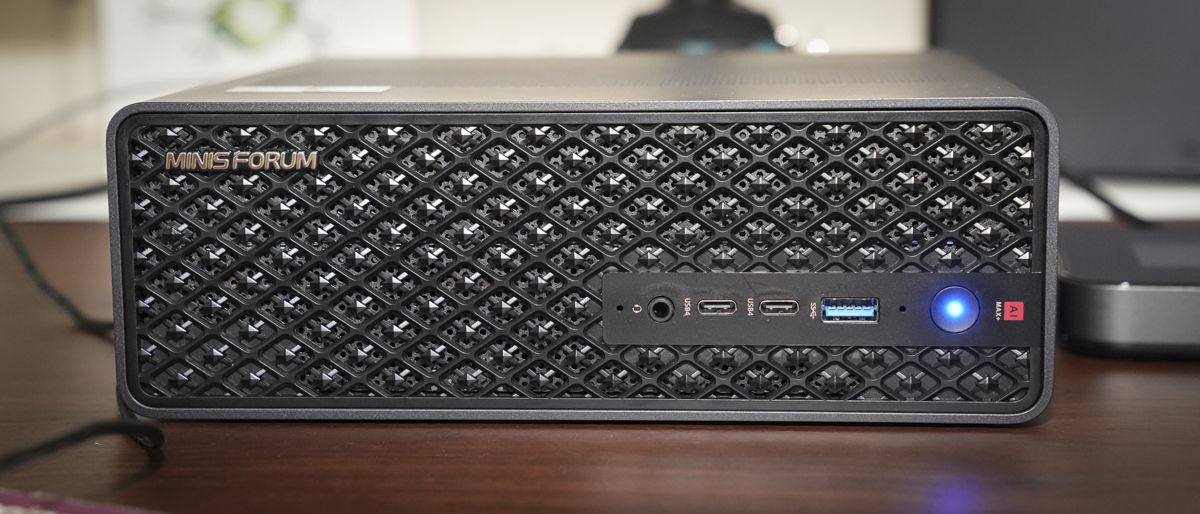
From the outset, the Minisforum MS-S1 Max is an exciting machine and is designed with a specific user group in mind. It's on the edge of what I would define as a mini PC. It might be smaller than a traditional desktop or workstation, and features integrated CPU, GPU and RAM, but there is more scope for expansion with a PCIe 4.0 slot. In reality, it's really a mini workstation that will fit equally well on a desk or directly into a 2U rack. It will, of course, handle all day-to-day tasks and even content creation, but with its extensive I/O expansion and advanced AI CPU/GPU, this is an ideal machine for AI development in a compact body.
Pros
- +
Fast Unified Memory
- +
Dual USB4 v2
- +
126 TOPS for local LLMs
Cons
- -
High price tag
- -
Unified memory only
- -
Audible fans under load
Why you can trust TechRadar We spend hours testing every product or service we review, so you can be sure you're buying the best. Find out more about how we test.
Minisforum MS-S1 Max: 30-second review
For a machine that just fits the mini PC classification, the Minisforum MS-S1 is something on another level and almost by definition, and this is reflected in the near £2,500 / $2,500 price tag. That price affords the latest components and technology inside, as well as an incredibly solid build. If you're thinking about buying this powerful mini PC, there are a few things to consider.
It's also worth considering that the major components of this machine are soldered in place, so there's no option, unlike a desktop, to replace the CPU, GPU or RAM. However, there are plenty of options to boost the internal storage capacity, or even boost the graphics with a discrete card, as the machine has space for a full-sized PCIe x16 expansion, though you do need to consider that this is a mini PC, so whatever card you opt for will need to be relatively small.
Looking through the rest of the specifications, all features are cutting-edge, and Minisforum haven’t held back on any part of this machine, with unified RAM, those AI processes, USB4 and PCIe 4.0, with the ability to install up to 8TB of internal storage in the M.2 2280 NVMe SSD slot.
The specification of this machine is impressive, but it’s only once you navigate Windows that you can really start to feel that boost in processing power and the speed at which Windows 11 Pro operates. Applications open almost instantly. When you load Microsoft Office, everything is exceptionally fast and responsive. Copying and pasting huge documents from one application to another presents no issue, and even when you start to load up memory-hungry applications such as Adobe Photoshop or Lightroom, this machine just takes them in.
The real difference comes when you start to utilise the AI features in those applications, and even in Premiere Pro, with the CPU and GPU capable of processing Photoshop, Lightroom, and Premiere Pro’s AI-at-heart features quickly, both locally and utilising remote processing options.
If you are into AI development, then the AI setup is going to work as a perfect starting point, with the ability to install a local LLM such as LM Studio on your machine.
Are you a pro? Subscribe to our newsletter
Sign up to the TechRadar Pro newsletter to get all the top news, opinion, features and guidance your business needs to succeed!
Throughout the test, the machine just impressed. While the AMD Radeon graphics lag slightly behind Nvidia alternatives, it is still incredibly capable, flying through all video production I threw at it, as well as performing well when it came to gaming.
The Minisforum MS-S1 Max is essentially a specialist machine, especially when you consider its price point and the fact that it has been made to fit neatly into a U2 rack system, meaning that whether you use it on your desktop as a very compact and powerful mini PC for content creation, or as a machine that can take full advantage of most programs’ AI-enhanced features, or you’re looking to use the best mini PC for local AI development, the Minisforum MS-S1 Max is an option, especially when you cluster it with others.
What really appeals to me is that because of its small size and its durability, thanks to its full aluminium build, it’s also a great option to utilise in the field, offering a relatively compact and lightweight, yet extremely powerful machine that rivals many desktop video workstations.
Minisforum MS-S1 Max: Price and availability
- How much does it cost? From £2399 / $2499
- When is it out? Available now
- Where can you get it? Directly from Minisforum or Amazon
The Minisforum MS-S1 Max is widely available and can currently be purchased directly from the Minisforum US for $2,499 and Minisforum UK for £2,399, down from the recommended price of £2,999 / $2,999. I'm also seeing it available on Amazon.com and Amazon.co.uk.
- Value: 4 / 5
Minisforum MS-S1 Max: Specs
CPU: AMD Ryzen AI Max+ 395 (16-core Zen5)
Graphics: AMD Radeon 8060S (Integrated)
RAM: Up to 128 GB LPDDR5x-8000MT/s
Storage: M.2 2280 SSD
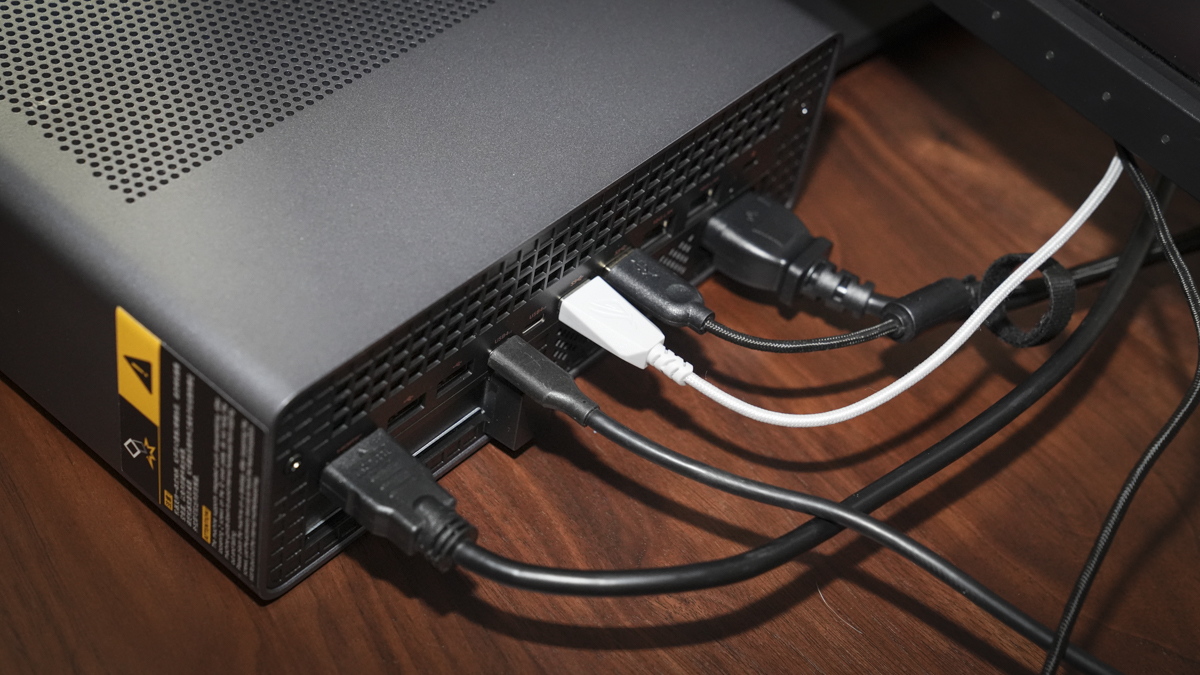
Left Ports: 1× USB4 v2, 2× USB-A, Mic jack
Right Ports: 1× USB4 v2, Power, DisplayPort, HDMI, PCIe slot
Connectivity: Dual 10GbE LAN, Wi-Fi 7, Bluetooth 5.4
Audio: 3.5mm combo jack
Camera: None
Size: Compact chassis; fits on desktop or 2U rack.
OS Installed: Windows 11 Pro
Accessories: Power cable, mounting options
Minisforum MS-S1 Max: Design
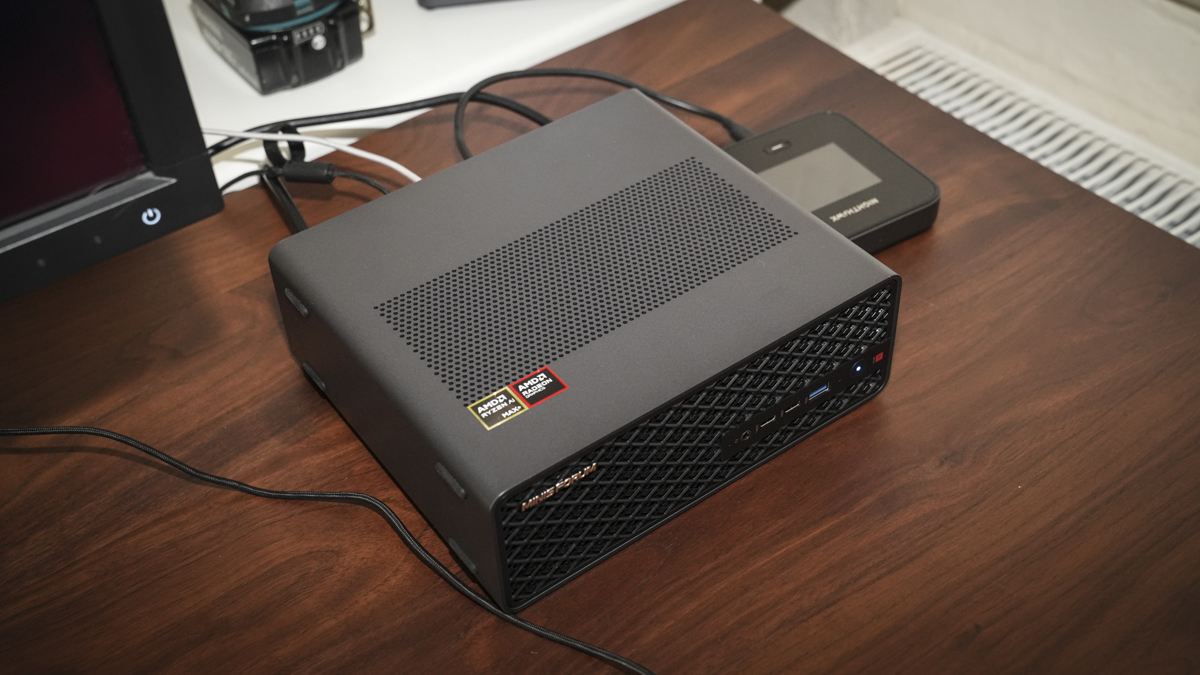
While the Minisforum MS-S1 Max is classed as a mini PC, you can tell from the outset that it is something far more, with a matte black industrial design that feels a level up from even standard premium mini PCs. The design is exceptional, with rubber feet on one of the longer edges as well as the base, so you have plenty of options for how to position it on your desk. It’s also been designed to fit directly into a U2 rack, so if you want to place it alongside your server, that’s easy enough.
The size, whilst not as small as most mini PCs, is still relatively compact at 222 x 206 x 77 mm, and it comes in at 2.8 kg, so it's substantially heavier than we usually expect.
However, unlike most mini PCs that remain small and compact yet always come with a power adapter that is almost the same size and weight as the actual machine, here with the MS-S1 Max, the power supply is built-in, so all you need is a standard kettle lead for the power.
Checking over the body of the machine, there are plenty of connectivity options. Very neatly on the front, there’s a single USB 3.2 Gen 2 Type-A with 10Gb/s transfer rate and 2 USB4 offering 40Gbps DP 2.0, PD power out (15W), and next to this is a 3.5mm audio combo jack enabling you to use standard headphones and mic.

Round the back, the selection of ports is equally impressive, with an HDMI 2.1 capable of providing 8K at 60Hz or 4K at 120Hz, 2 USB 2.0, 2 USB4 v2 (80Gbps, DP 2.0, PD out 15W), two USB 3.2 Gen 2, two 10GbE LAN RJ45 ports, anti-theft lock, and a reset hole to help clear the CMOS if you’ve been doing some development that’s gone wrong.
All these connections and interfaces are cutting-edge, but most mini PCs would stop there. Here with the MS-S1 Max, there’s a little bit more to it - and a feature that makes this closer to a desktop PC than a mini PC.
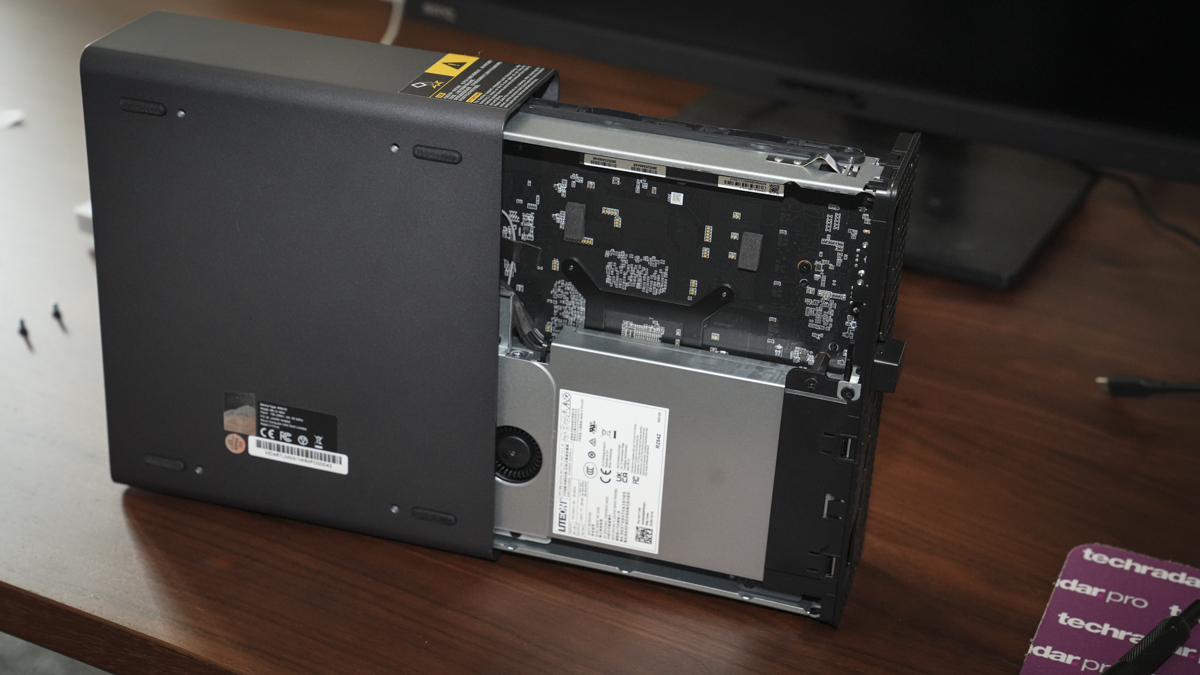
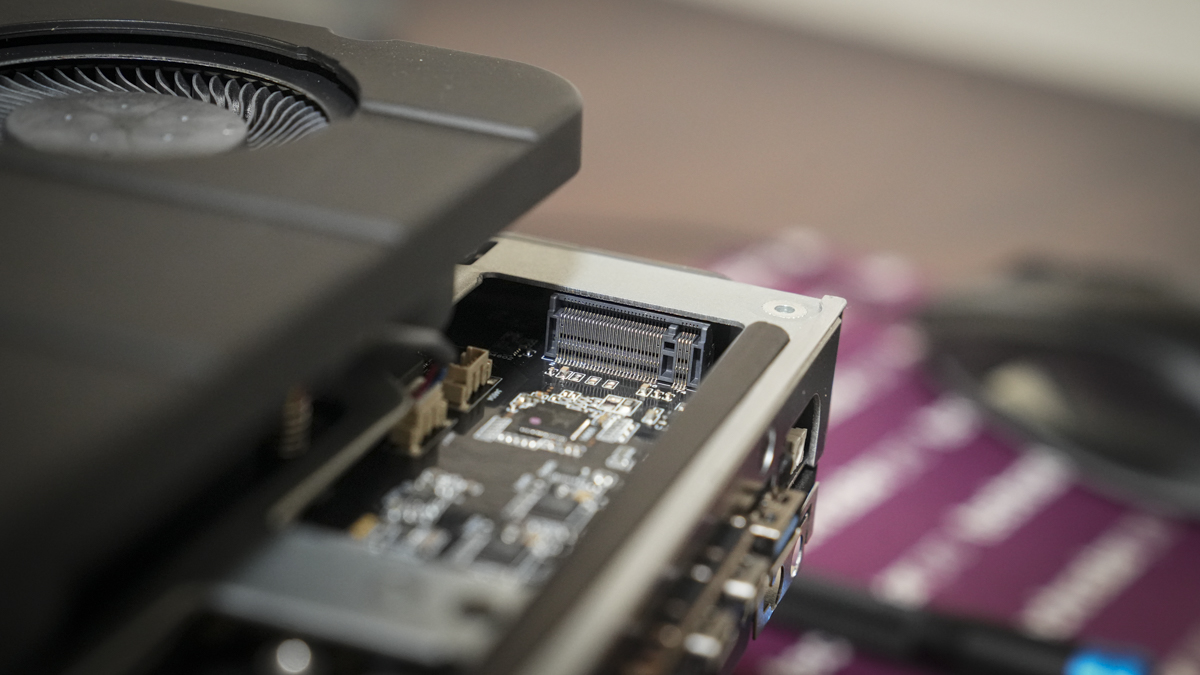
Opening up the machine (which is done by removing two screws at the back), the whole backplate and internals of the machine can be removed from the metal casing, revealing the SSD slot and the PCIe 4.0 expansion slot. While the connector is full-size, you will need to be a little bit wary about the size of the expansion card you purchase, but it still gives you plenty of options for discrete graphics and possibly AI enhancement cards in the future.
- Design: 4.5 / 5
Minisforum MS-S1 Max: Features
For a mini PC, the specification and feature list are slightly abnormal, featuring the latest AMD Ryzen AI Max+ 395, and this is coupled with an AMD Radeon 8060S GPU. It’s also backed by an AMD Ryzen AI engine that gives this machine the full range of AI potential. The configuration of this machine has been built so that you can run large AI models locally, with all-scenario AI compute that offers up to 126 TOPS and runs 128B+ LLMs locally, such as LM Studio.
One of the other points about this machine is that it’s been designed so that you can either use it as a single machine or as part of a dual-unit 235B cluster or 2U rack cluster to really boost your AI workflow and development. In the marketing material, Minisforum actually state it’ll run the 235B Q4 large model locally if configured in that dual configuration, although that does obviously mean two of these machines and double the price.
If two machines aren’t enough for what you want to do, then that 2U rack deployment is also possible, where even more MS-S1 Max machines can be distributed into a cluster. Again, in the marketing material, Minisforum states that a four-unit cluster is powerful enough to run the DeepSeek-R1671B Q4 large model locally, which is impressive, firstly considering the size of the machines, and secondly, the fact that it comes in at less than $10,000 / £10,000.
What’s impressive here is that Minisforum have created a bespoke cluster design, which means that once configured and wired up, utilising the reserved cascade power-on header, you can then power on and off all machines in one go as if they were one.
As well as the future potential and upgradability into cluster systems, out of the box with just one unit, there are also a few key AI features, such as precise voice recognition with the AI noise-cancelling mic that will support mainstream AI models and help with speech-to-text and other voice commands.
Many of the internal components are also soldered to the motherboard, and it features 128GB of unified LPDDR5X-8000 MT/s RAM.
There an M.2 2280 NVMe SSD slot that’s able to take up to 8TB of storage.
As you look over the body of the machine, there are several things that really stand out. One of those features that’s really appealing is the inclusion of dual USB4 v2 and dual 10GbE LAN ports alongside Wi-Fi 7, enabling ultra-fast transfer speeds from external storage and accessories, and also the ability to connect to a local area network, and more importantly, a system for network editing.
Another of the huge differences between this machine and many others is the volume of I/O options. Including the latest USB4 v2 enables up to 80Gbps transfer rate, but on top of that, it also offers PCIe 4.0 x4, which offers space for full-length x16 slot expansion cards, giving you plenty of capability options from the outset.
As I previously mentioned, unlike other mini PCs, the PSU is actually incorporated into the casing of the machine and offers 320W, which is huge for this size of machine, but obviously needed for all the computing power it holds.
One of the other big features is the design, with the slide-out structure that enables you to slide the main computer out from the casing, so that upgrading and maintenance are exceptionally easy and fast.
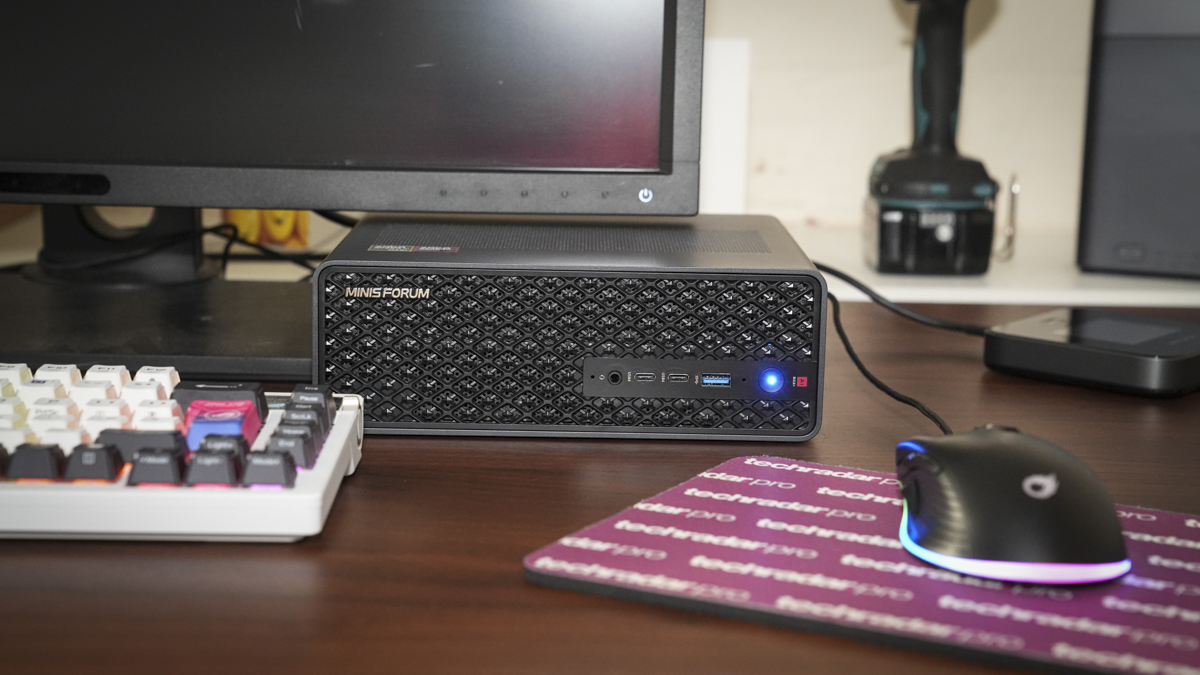
There’s a lot going on with the MS-S1 Max, and cooling is essential. Here, they’ve tried to tackle this with an aerospace-grade aluminium chassis that offers both durability and superb airflow through the componentry.
- Features: 5 / 5
Minisforum MS-S1 Max: Performance
Benchmark scores
CrystalDiskMark Read: 6061.76 MB/s
CrystalDiskMark Write: 5374.64 MB/s
Geekbench CPU Multi: 19,653
Geekbench CPU Single: 2,904
Geekbench GPU: 95,729
PCMark Overall: 8,425
Cinebench CPU Multi: 34,648
Cinebench CPU Single: 2,042
Fire Strike Overall: 26,639
Fire Strike Graphics: 29,838
Fire Strike Physics: 35,196
Fire Strike Combined: 12,283
Time Spy Overall: 1,106
Time Spy Graphics: 11,056
Time Spy CPU: 10,732
Wild Life Overall: 65,580
Steel Nomad Overall: 2,135
Windows Experience Overall: 9.1
Running through the setup process, it was apparent that the MS-S1 Max was quite a different machine from most of the mini PCs I tested, only the Sapphire Edge Ai 370 having hints of the same AI enhancement. The Windows 11 Pro setup required the usual final steps, signing into Microsoft and Google and downloading and installing updates.
What’s apparent with that Wi-Fi 7 connectivity is the speed at which you can connect to the wireless router (if, of course, your wireless router supports Wi-Fi 7).
Another noticeable point about this machine right from the outset is not only the number of connection options, enabling you to quickly connect up to 4K monitors. It is worth noting at this early point in the testing that the fans kick in from the outset, and this is far from a silent runner. Obviously, a lot is going on in this machine, and like any server, those fans and the cooling are consistent, unlike the almost silent running we’ve become used to with most mini PCs.
I started off with Microsoft Word, Excel and PowerPoint. These all loaded almost instantly, even when I threw large documents at the machine, including a large PowerPoint presentation I’d already created on another PC. It was very evident just how well this machine can handle those larger files, and again, there was literally no lag or wait time when it came to saving the files down or editing and adjusting images within any PowerPoint presentation.
As I moved over to some of the imaging applications, such as Photoshop and Lightroom, again, it was apparent that the images from the Sony A7 IV and Canon EOS R5C posed absolutely no issue for this machine. Whilst the Radeon 8060S isn’t quite as powerful as some of the discrete graphics cards, the pure power of the CPU and iGPU is more than enough for these two applications. When it came to running the AI features, it proved just how capable this machine was, running those AI functions locally.
Moving on to Adobe Premiere Pro, I went straight in with some Pro 4K footage shot on the iPhone 15 Pro, and instantly, it was apparent that this machine was going to have no problems with that footage. I then went a level up with some RAW footage from the Canon EOS R5C.
While you could see a little bit of slowdown when it came to 4K after effects and grading, it could still handle a 15-minute edit with absolutely no issues whatsoever. If I were going to do a longer edit, I might consider putting in discrete graphics, but for most people, this machine out of the box will handle pretty much anything you throw at it when it comes to video editing.
One key point here was that I needed to transcribe one of the videos, and the speech-to-text was exceptionally fast, including expanding clips in the timeline, where the AI processing really becomes incredibly valuable.
When it came to CapCut (essentially a far lighter video editor than Premiere Pro and ideal for creating social media content for YouTube), there were no issues. Applying templates gave a really smooth experience; editing was fast and extremely agile.
Of course, this being an AI machine, I had to give some of the more in-depth AI features a go. So here I downloaded and installed LM Studio, as it’s free and has a very easy-to-use interface. Again, the performance was exceptional, and I was able to run that language model locally on the machine. While I’m still investigating the full use of LM Studio and its features, I have to say I was extremely impressed with the speed at which it was able to give responses and compute.
Finally, after trying to figure out the complexities of the AI features, I sat back for a little bit of gaming. This is where the machine starts to have a few issues, mainly because the Radeon 8060S, which, while incredibly powerful, does lag behind most discrete graphics cards I’ve recently seen in the latest Asus ProArt P16 laptop.
Still, playing Indiana Jones and the Great Circle and Hogwarts Legacy, both were more than playable, getting good smooth motion, although not all settings could be turned up beyond medium.
Essentially, this is an extremely powerful mini PC and sits in between a dedicated desktop workstation and a smaller format machine. The power and capability are, of course, reflected in the price. This is a machine that’s been designed with a specific purpose, to utilise the power of AI locally, either as a single machine or as part of a cluster. For that purpose, while the price of the machine might seem high, it actually offers exceptional value for something this powerful and AI-ready.
- Performance: 5 / 5
Minisforum MS-S1 Max: Final verdict
This isn’t the machine that’s going to suit everyone. Even for content creators, where this machine excels with 4K video editing and image enhancement, there are cheaper and better-suited machines out there. You’ll get the same performance for Adobe Photoshop and Premiere Pro from machines that cost considerably less and include a dedicated GPU.
Likewise, for gaming, all the games I tried on the system worked perfectly well, even at mid to low effects and graphic settings, but again, there are gaming PCs that are far cheaper and better suited for that purpose.
This machine, then, is really designed for AI developers, engineers, and users who want to investigate what the future of computing holds. The fact that it is a single machine, relatively well priced, and offers plenty of upgrade options, with the ability to put in up to 16TB of internal storage, USB4 V2, and with a PCIe 4.0 slot for expansion cards, gives you plenty of future potential.
What’s really interesting is that this machine is not just designed as a single standard unit, but as one that can be added to, so you can run it as a dual cluster or even build it into a far larger system as your budget and needs increase. For AI developers and engineers, this is an incredibly neat and simple out-of-the-box solution.
So for AI developers, this is a superb option that, while similarly expensive, is actually cheaper than many other alternatives. For everyone else, it would be a nice machine to own, but it might be a little overkill and not really tuned to mainstream use.
Should I buy the Minisforum MS-S1 Max?
Swipe to scroll horizontally
Value | Extremely high-end AI computing in a compact box at a surprisingly balanced price | 4 |
Design | Superb design that helps to dissipate heat, offers expansion options and cluster potential | 4.5 |
Features | The big excitement here is the AI CPU and iGPU, alongside PCIe 4.0 expansion and cluster support | 4 |
Performance | Closely matched to mid- to high-end desktops. This mini PC is in another class compared with what we normally expect | 5 |
Overall | AI-focused compact workstation as a perfect option for AI developers | 4 |
Buy it if...
You’re an AI developer
You’re running LLMs, multimodal models, or training workflows locally and need 128 GB RAM with 100+ TOPS AI compute
You want a true creative workstation
It's a top choice if you’re editing 4K video, building 3D models, or running simulations where GPU and fast RAM make a difference.
Don't buy it if...
Budget is tight
While this is at the affordable end of AI development machines, if you’re looking for an affordable mini PC for browsing or light media use, this is complete overkill.
You're focused on upgrading everything
If you want to swap RAM and CPU later, unified memory and soldered components mean limited future-proofing.
Alastair is a photographer, filmmaker and tech writer who has been working in the publishing industry since the late 1990s. For more than 25 years he has covered photography, video and technology across Future's photography, technology and gaming brands. He runs a photography and video production company and lectures in TV and film. He can usually be found testing mini PCs or prototyping and prop building with the aid of 3D printing.
You must confirm your public display name before commenting
Please logout and then login again, you will then be prompted to enter your display name.
What's Your Reaction?
 Like
0
Like
0
 Dislike
0
Dislike
0
 Love
0
Love
0
 Funny
0
Funny
0
 Angry
0
Angry
0
 Sad
0
Sad
0
 Wow
0
Wow
0